Prusa Core 1
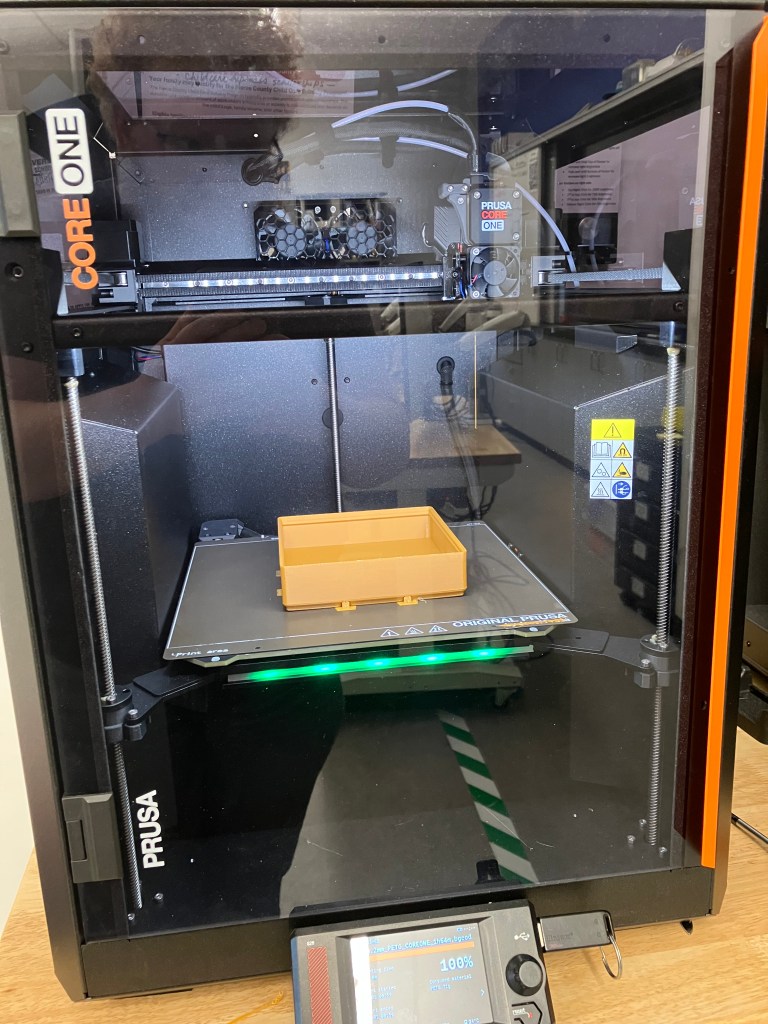
| Build Volume | Materials | Process Name | Manual | Tutorial |
| 250 x 220 x 270 mm 9.8 x 8.6 x 10.6 in | 1.75mm PLA, PETG, Flex, PVA, PC, PP, CPE, PVB and when using the optional Advanced Filtration System ABS, ASA, HIPS, PA | Fused Deposition Modeling (FDM) | Manual | Help Article Index |
Other Features:
- Multiple extruders/materials supported
Prusa XL
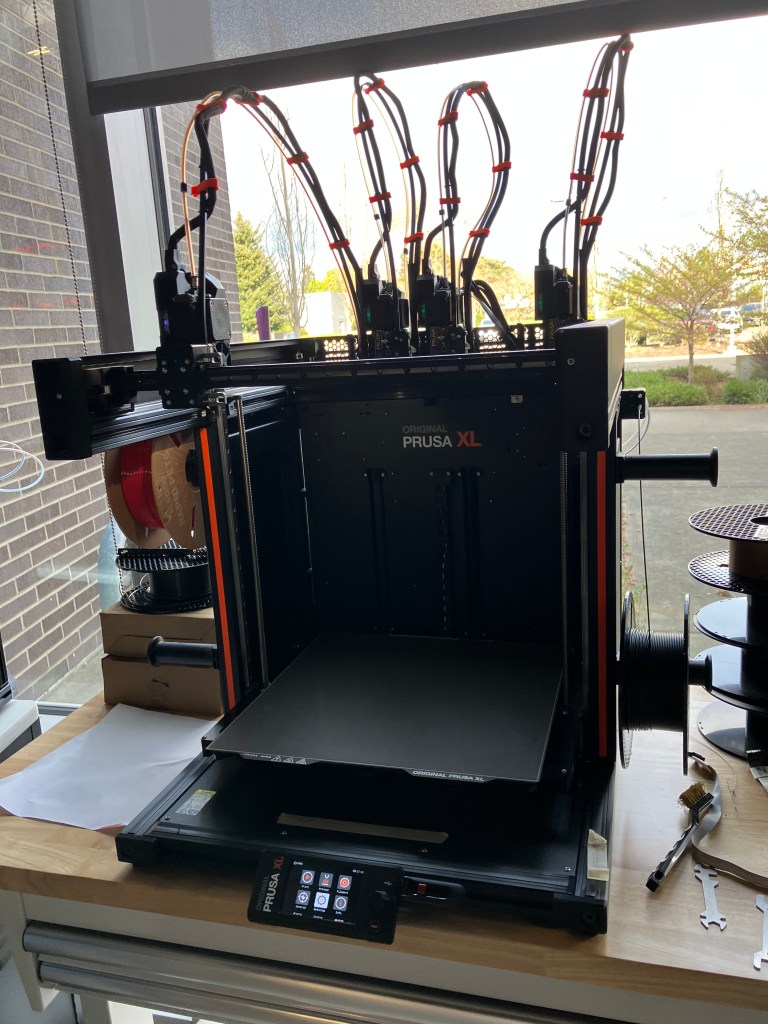
| Build Volume | Materials | Process Name | Manual | Tutorial |
| 360×360×360 mm (14.17’’×14.17’’×14.17’’) | 1.75mm PLA, PETG, Flex, PVA, PC, PP, CPE, PVB and when using the Original Prusa Enclosure with filtration add-on ABS, ASA, HIPS, PA | Fused Deposition Modeling (FDM) | Manual | Help Article Index |
Other Features:
- Multiple extruders/materials supported
Bambu Lab X1-Carbon
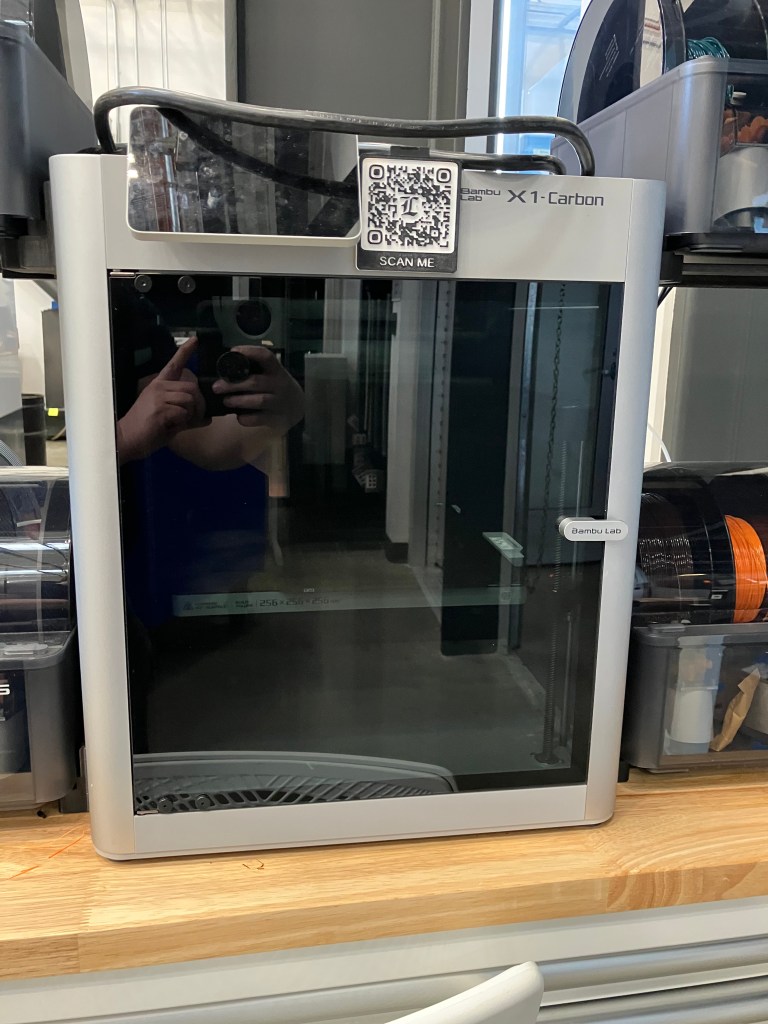
| Build Volume | Materials | Process Name | Manual | Tutorial |
| 256 × 256 × 256 mm 10 x 10 x 10 in | PA, PC Carbon / Glass Fiber Reinforced Polymer | Fused Deposition Modeling (FDM) | Manual Wiki | Product support articles Quickstart Guide |
Other Features:
- Multiple extruders/materials supported
Markforged Onyx Pro
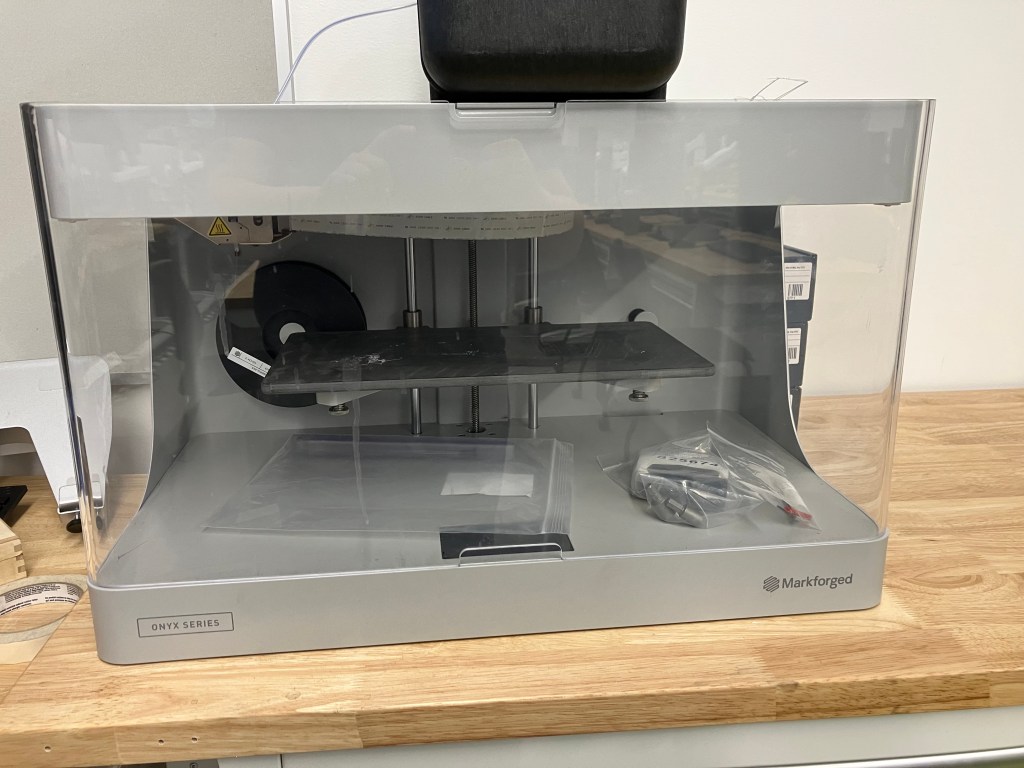
| Build Volume | Materials | Process Name | Manual | Tutorial |
| Width 320 mm/12.59″ Depth 132 mm/5.2″ Height 154 mm/6″ | Onyx (stocked in shop), Precise PLA, Smooth TPU, (markforged EXCLUSIVE) +Continuous Fiberglass | Continuous Fiber Reinforcement (CFR) | Datasheet Desktop Printer User Guide | Design for Additive Manufacturing Composite Parts |
Other features:
- VERY expensive to run
- Bed has to be manually leveled
- Prints can be VERY strong and precise
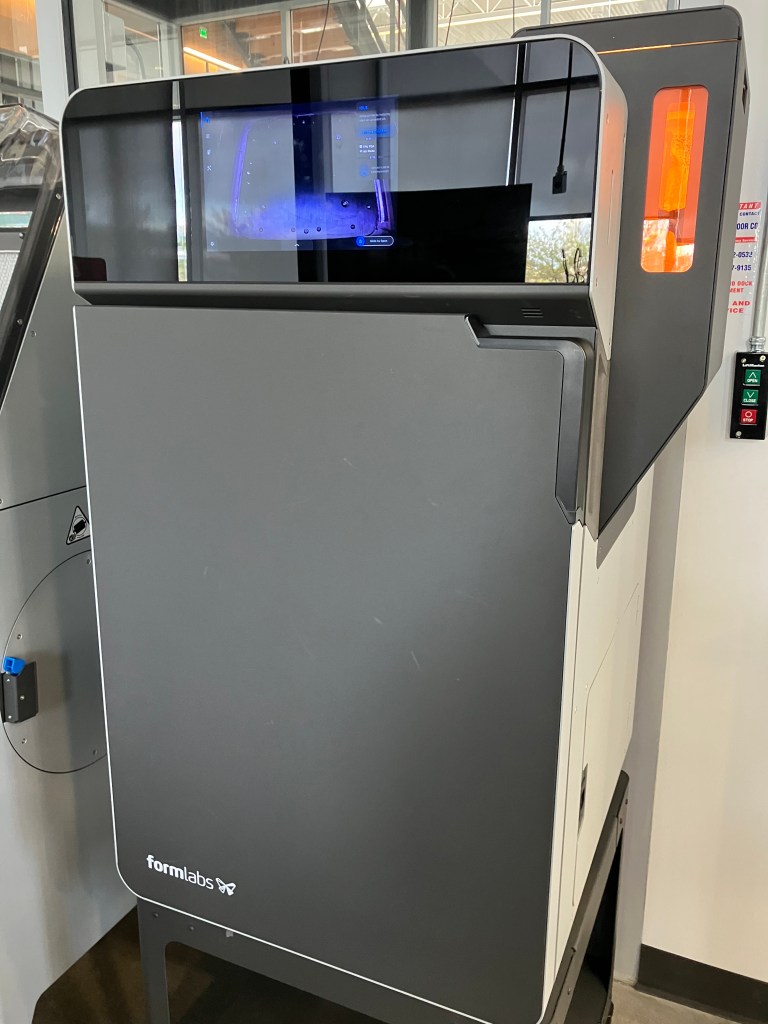
Formlabs Fuse 1+
| Build Volume | Materials | Process Name | Manual | Tutorial |
| 16.5 x 16.5 x 30 cm 6.5 x 6.5 x 11.8 in | Nylon powder, shop carries TPU also Open materials setting allows for more materials | Selective Laser Sintering (SLS) | Manual Tech and Workflow Overview Tech Specs | SLS Design Guide Quickstart guide |
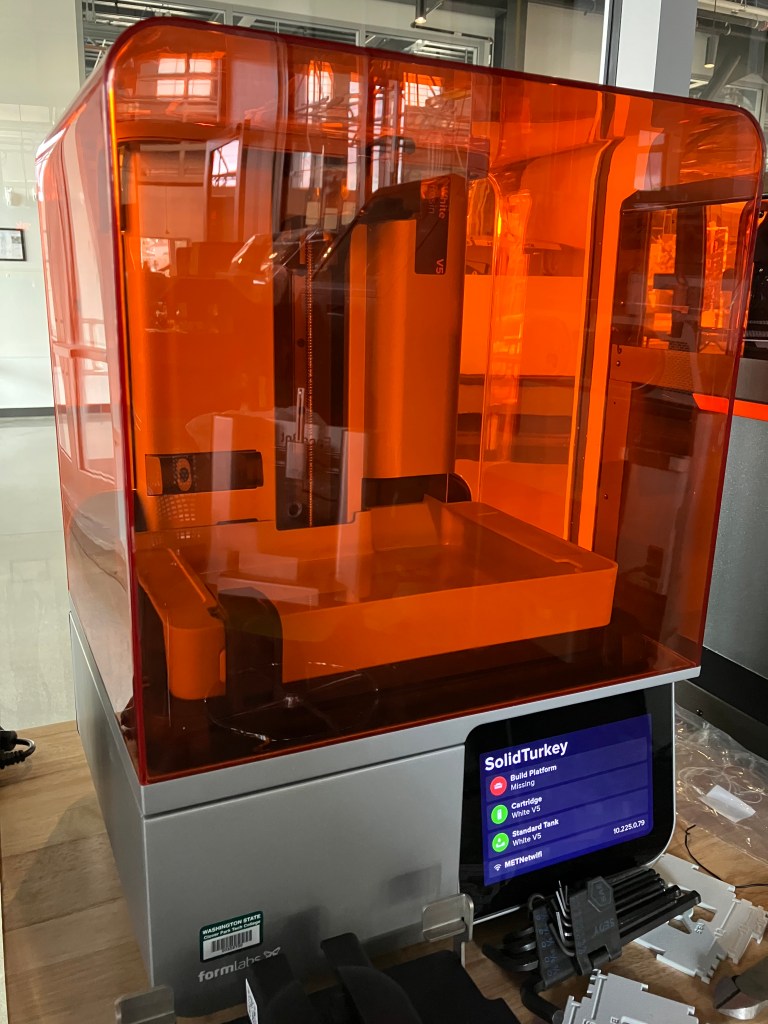
Formlabs Form 4B
| Build Volume | Materials | Process Name | Manual | Tutorial |
| 20.0 × 12.5 × 21.0 cm 7.9 × 4.9 × 8.3 in | UV-curing resins; shop carries. Certified for medical/dental resins | Masked Stereolithography (MSLA) | 4B | 4 Quickstart 4B Dental Onboarding |
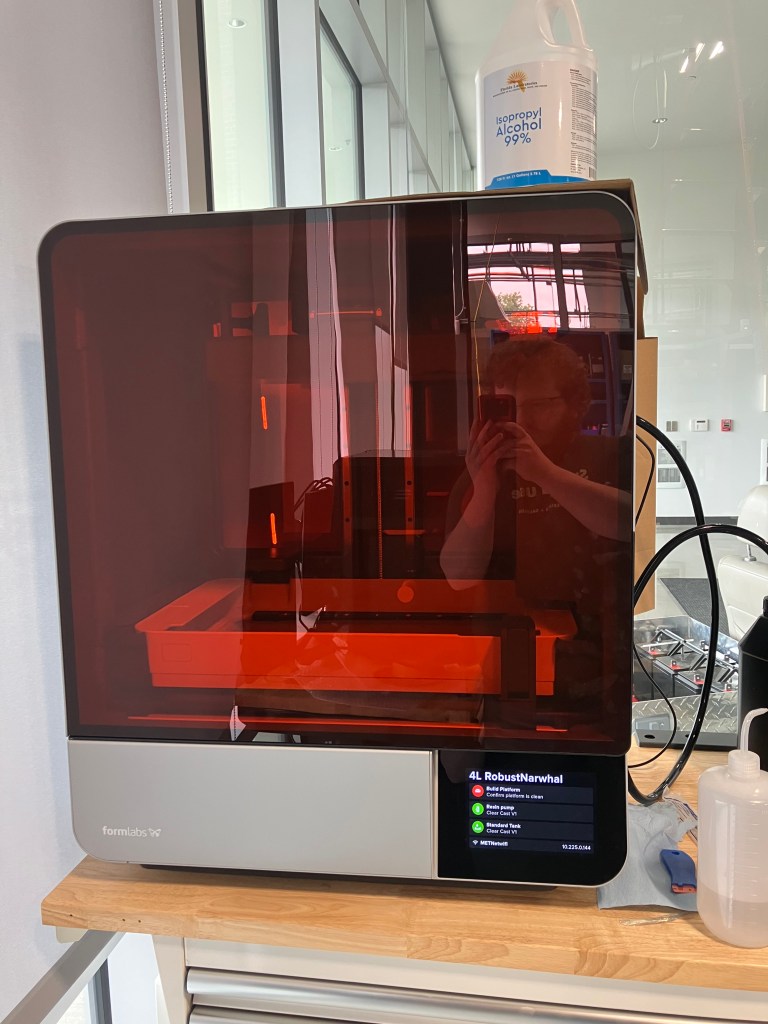
Formlabs Form 4L
| Build Volume | Materials | Process Name | Manual | Tutorial |
| 35.3 x 19.6 x 35.0 cm 13.9 x 7.7 x 14.0 in | UV-curing resins; shop carries | Masked Stereolithography (MSLA) | 4L 4BL |
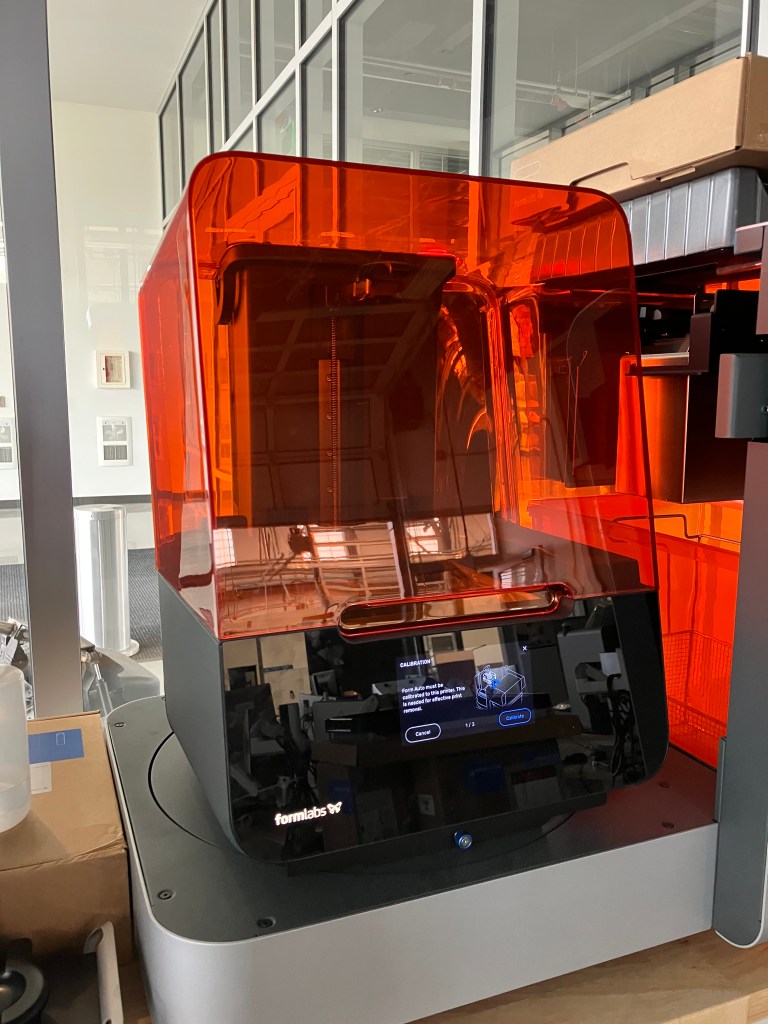
Formlabs Form 3
| Build Volume | Materials | Process Name | Manual | Tutorial |
| 145×145×185 mm 5.7×5.7×7.3 in | UV-curing resins; shop carries | Low Force Stereolithography (LFA) | 3 |
CocoaPress 1
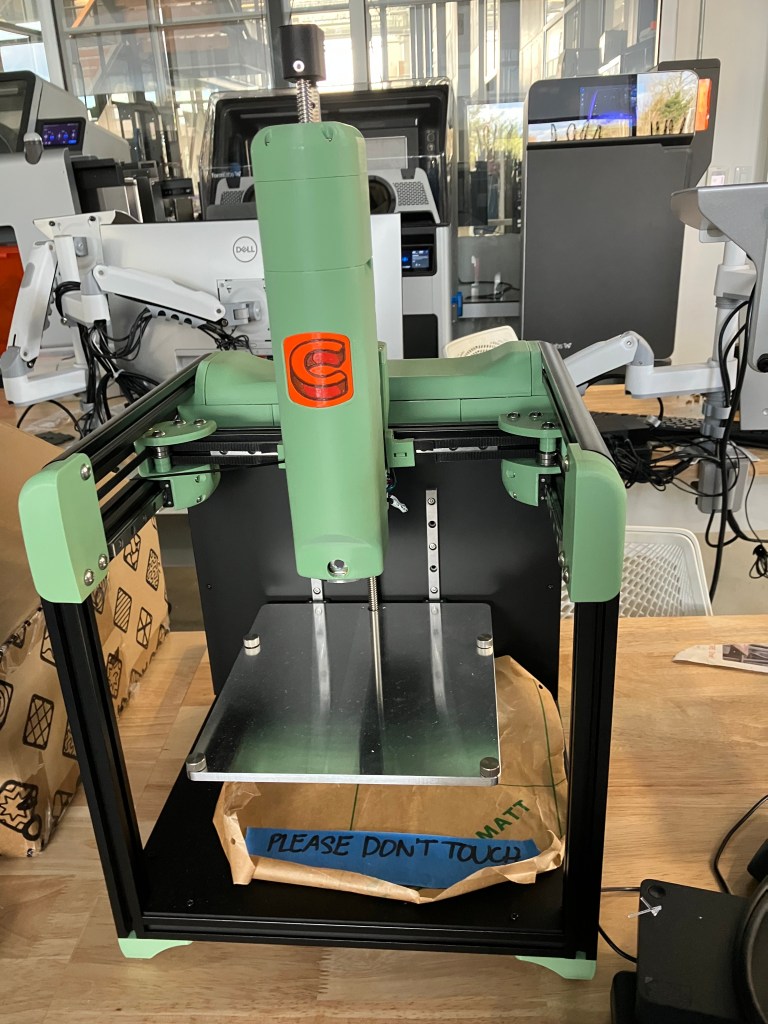
| Build Volume | Materials | Process Name | Manual | Tutorial |
| 135mm x 135mm x 150mm (5.3″ x 5.3″ x 5.9″) | Compound Chocolate “Cocoa Cores” (dark, milk, and white) | FDM | All Documentation | Quickstart |
Other features:
- Have conversion kits to turn 1s into 2s
Prusa Mark 3
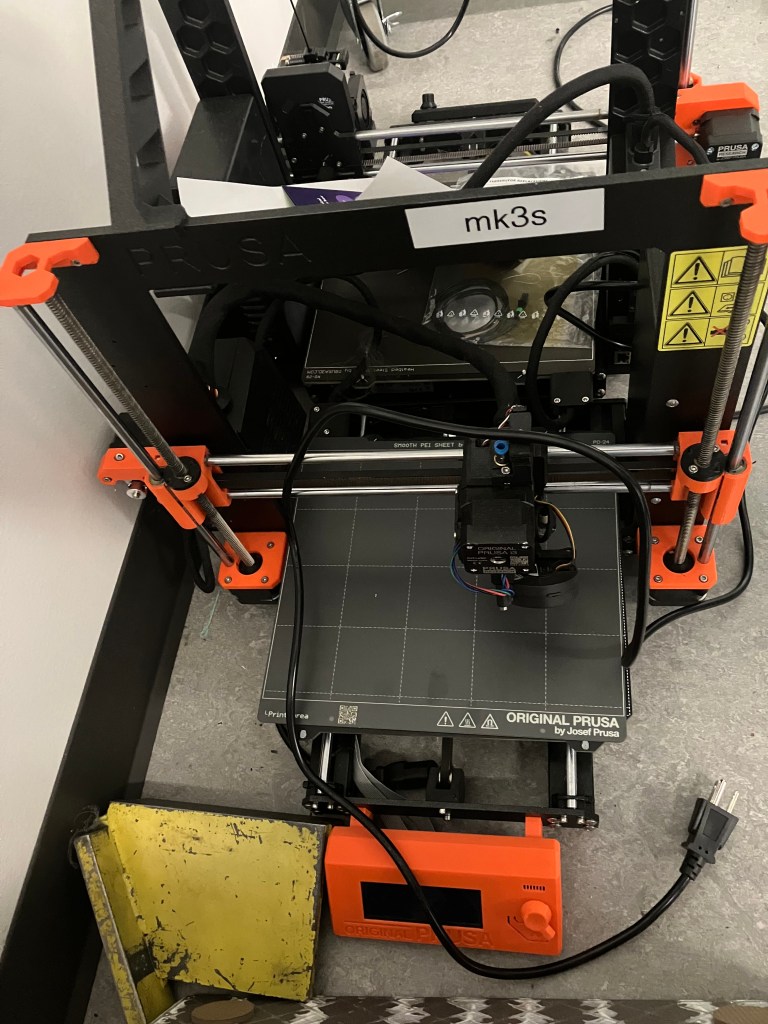
| Build Volume | Materials | Process Name | Manual | Tutorial |
| 1.75mm PLA, PETG, Flex, PVA, PC, PP, CPE, PVB and when using the optional Advanced Filtration System ABS, ASA, HIPS, PA | Fused Deposition Modeling (FDM) |
Other features:
- Will eventually be converted to Core Ones, but havent purchased conversion kits yet
Prusa Mark 4
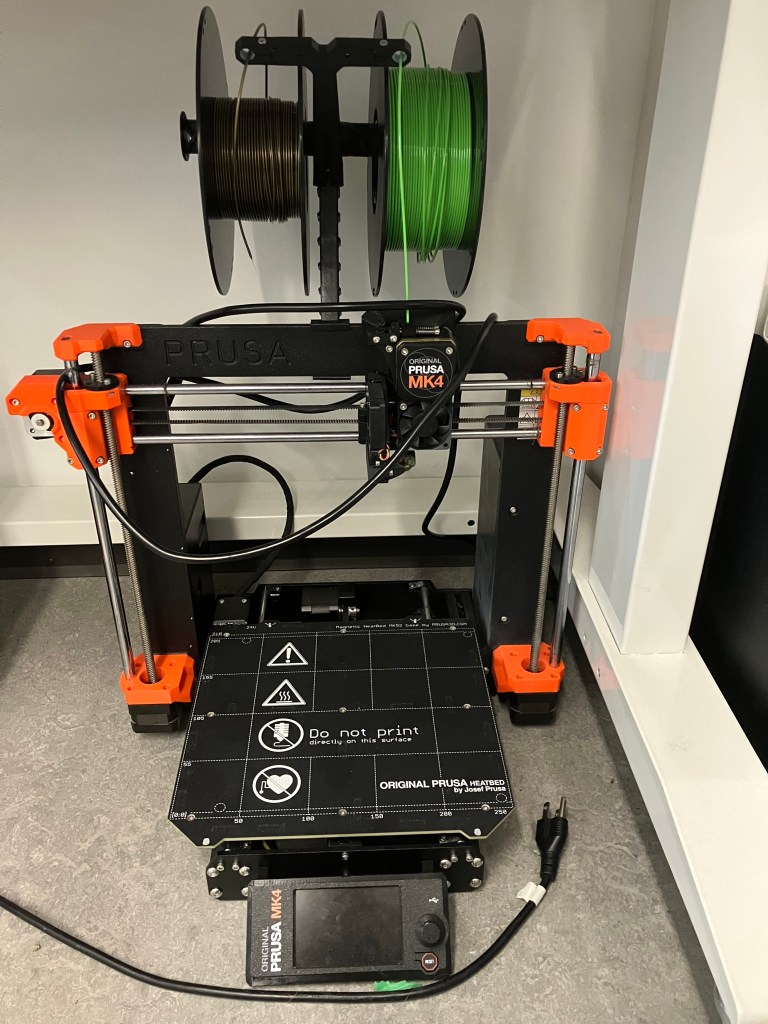
| Build Volume | Materials | Process Name | Manual | Tutorial |
| 1.75mm PLA, PETG, Flex, PVA, PC, PP, CPE, PVB and when using the optional Advanced Filtration System ABS, ASA, HIPS, PA | Fused Deposition Modeling (FDM) |
Other features:
- Will eventually be converted to Core Ones, but havent purchased conversion kits yet
4/22 notes
We may actually have a form 3+ and form 4s? I need to actually check the serial numbers of these. I also need to make sure that this is a complete list. For one thing I’m missing the metal 3d printer. It feels like its own category to me but it is technically additive, so.
Some questions I have brainstormed for making a flowchart/decision guide for these:
- Does it need to print in metal? (welding robot) if no:
- Does it need to be bodysafe or castable? (forms) if no:
- Does it need to be extremely durable? (markforge)? if no:
- What kind of resolution do you need?
- How big is your model?
- Are you able to do any post processing of your model? (forms and fuse)
Per yesterday’s check in with Nate, the key to a good flowchart is knowing what questions to ask and in what order. He recommends using an LLM to help with that. I have not used any and am generally annoyed with AI but I’m willing to give it a try.
5/5 notes
Made my first attempt at a flowchart, but it’s not really getting it right. Per check-in with Nate:
- Should really include size early on, maybe even as the first question
- Progression should be cutting off options, not creating a decision tree
- Try to not have to replicate questions
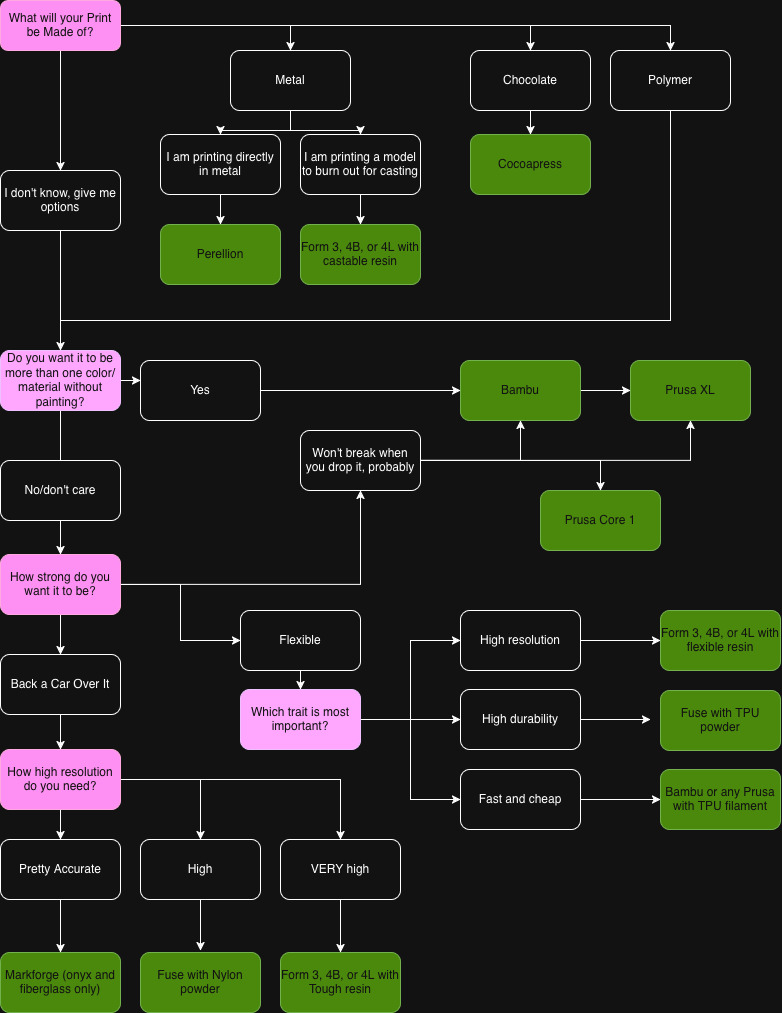
My next version is going to start with a different question and see how it goes from there. I’m using Draw.io which is pleasingly basic and simple to use.
5/8
Here’s version 2. Needs some work, but don’t we all. I’ll see what Nate says. So far in the class group chat the only feedback I’ve gotten on V1 is that it’s a good idea to include pics of the printers, which I agree with. I’m not doing that yet tho while I’m still figuring out the construction of the flowchart/decision tree
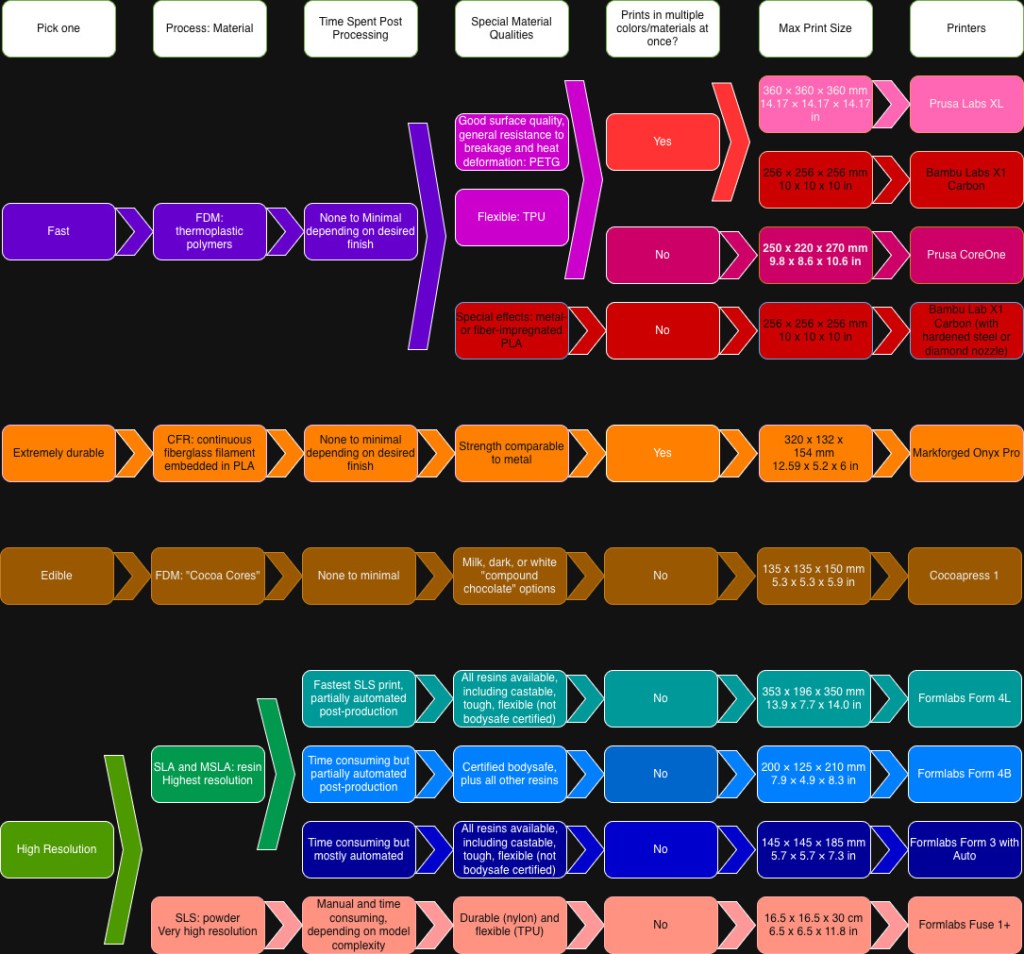
5/12 notes
Nate has requested a version of my second chart as a questionnaire to trial, in a more usable format, and also that if we were to print a poster of the overall chart that it would be better in a traditional flowchart format. I’m not sure how to do that without repeating a lot of questions, so google form (or whatever) it is. But he thinks the overall data is there.
5/19
I made a quiz in google forms going through the decision process. It took a lot of rewriting and reformatting compared to the flowchart.
I would like for it to have some kind of consistent output—like emailing people their results once they hit ‘submit’ form, or showing them the whole flowchart, or a printable 1 sheet on the machine they chose that includes a photo or something. Right now I have to have submit as an option because otherwise moving to the next section would be confusing, but submitting doesn’t get you anywhere except to say you submitted your answer.
I emailed it to Nate for him to run through, and some questions:
-which FDM machines have .6 mm nozzles available? And do we ever use 3mm filament?
-do you have go-to video overviews of any of the machines or processes that I can link to in their descriptions?
-what slicing software do you recommend for each printer?
-what are the lab’s preferred/recommended print settings for the machines, if any?
-what is the process for getting weird/nonstandard materials purchased? Is there a proposal template I can link to?
I also am still a little shaky on the print resolution of the Fuse vs the Forms…need to do a little more research there.

